✅ Upgrade / downgrade your license
You can upgrade to a higher tier at any time. You will get a partial refund for the remaining time in your current paid period, and your new license tier will start immediately.
You can also downgrade at any time but it will not take effect until the end of your current paid period.
You cannot change plan while payments are scheduled to pause, or while the license is paused. Cancel the scheduled pause or restart the license first, then change plan.
Log in to the website, open the Your licenses page, select the license you want to change, then click UPGRADE / DOWNGRADE. You will then see the available options for your license.
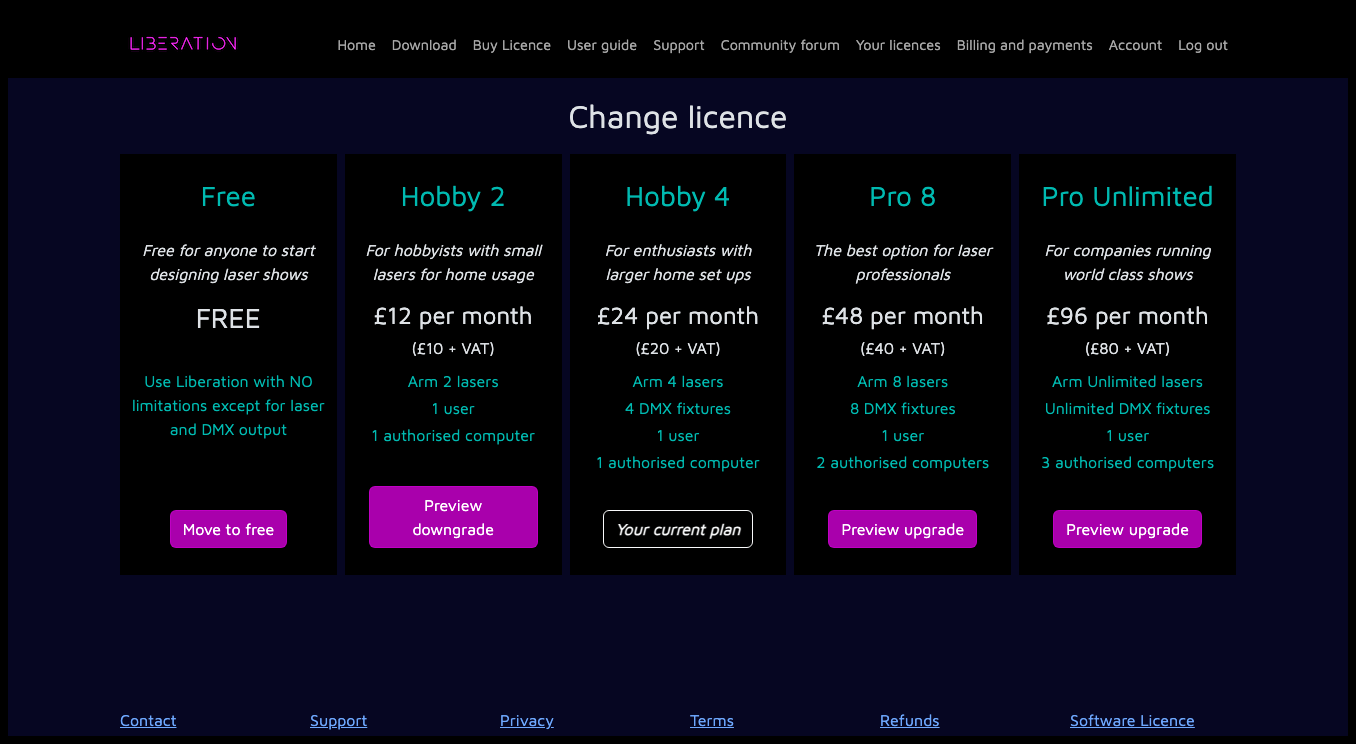
Click the relevant PREVIEW button to see how the changes would affect your payments. If you're happy with the change, click Confirm license change to complete the process.