🟩 Zone delay / chase
We all agree that more lasers equals more fun but if they're all doing exactly the same thing you're missing out on creative possibilities.
The zone delay system is a simple yet effective method to introduce variety across zones and can really make the most of a multi-laser setup. It can also be used to make a more traditional chase effect.
How it works
Zone delay adds a delay to the timing of the clip across each zone, creating a kind of sweep across the zones.
It's really effective to introduce zone delay to an already running clip, use the relevant control on the APC40 to adjust the level and pattern. (See APC40 reference). Or you can use the Clip Settings panel.
Zone delay settings :
- Zone delay - controls the amount of delay time applied to each zone, measured in 64th notes.
- Pattern - choose the zone order
- Left to right
- Right to left
- Inside to outside
- Outside to inside
- Delay mode
- No delay - use this in chase mode
- Delay - the default mode, delays the timing of each zone
- Delay with re-trigger - Resets the clip back to the start every time across the pattern. This is good with Chase mode.
- Chase mode - with chase mode on, each zone is turned on and off like a traditional chase effect. Adjust the chase appearance using the Fade in, Hold, and Fade out settings. These settings are set as a proportion of the zone delay value, so a value of 1 would be the same time as specified in the Zone delay value. It's a little hard to explain so my advice would be to try for yourself.
When a clip has any kind of Zone delay you will see a three-dot icon in the top right of the clip. These dots are animated to show you the style of Zone delay for that clip. See What are the small icons on the clip buttons? for more details.
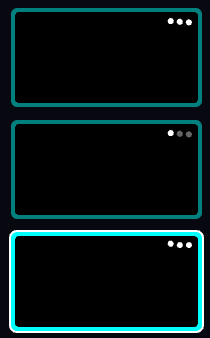
The three dot symbol that indicate that a clip has a zone delay and its mode