🟩 Live MIDI Controllers
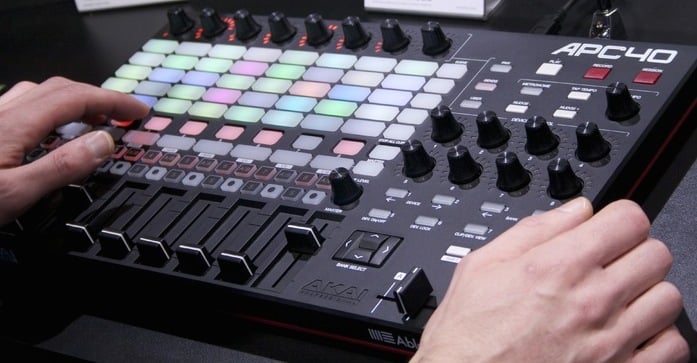
APC40 controller
This is the default hardware controller for Liberation; it's highly recommended and it's fair to say that Liberation has been designed around this hardware from the very beginning. As soon as you plug in the APC40, Liberation immediately connects to it automatically.
APC40 Mark 1 or Mark 2?
In short, Mark 2 is recommended as it has full colour buttons that more closely match the Liberation clip deck interface. The Mark 1 version will work in a pinch, but it will be a little more confusing as the layout is slightly different from what is on screen, and the buttons can only turn red, orange or green, so will not match the clip colours.
For the full list of controls available on the APC40 see APC40 reference
APC Mini
Liberation 1.0.3 also includes an APC Mini profile. It maps the 8x5 clip grid, zone buttons, zone X/Y flip controls, group buttons, stop all clips, clip page movement, zone page movement, tap tempo, bar reset and tempo nudge. Its faders control effect levels, and shifted faders control effect parameters. The final fader controls global brightness.
MIDI Fighter Twister
The MIDI Fighter Twister profile is for encoder-heavy control rather than clip launching. One row of encoders controls parameter 1 for effect slots 1-8, and another row follows the eight contextual Parameters panel controls, including clip shift, zone delay, global spin/scale and group fades.