✅ APC40 reference
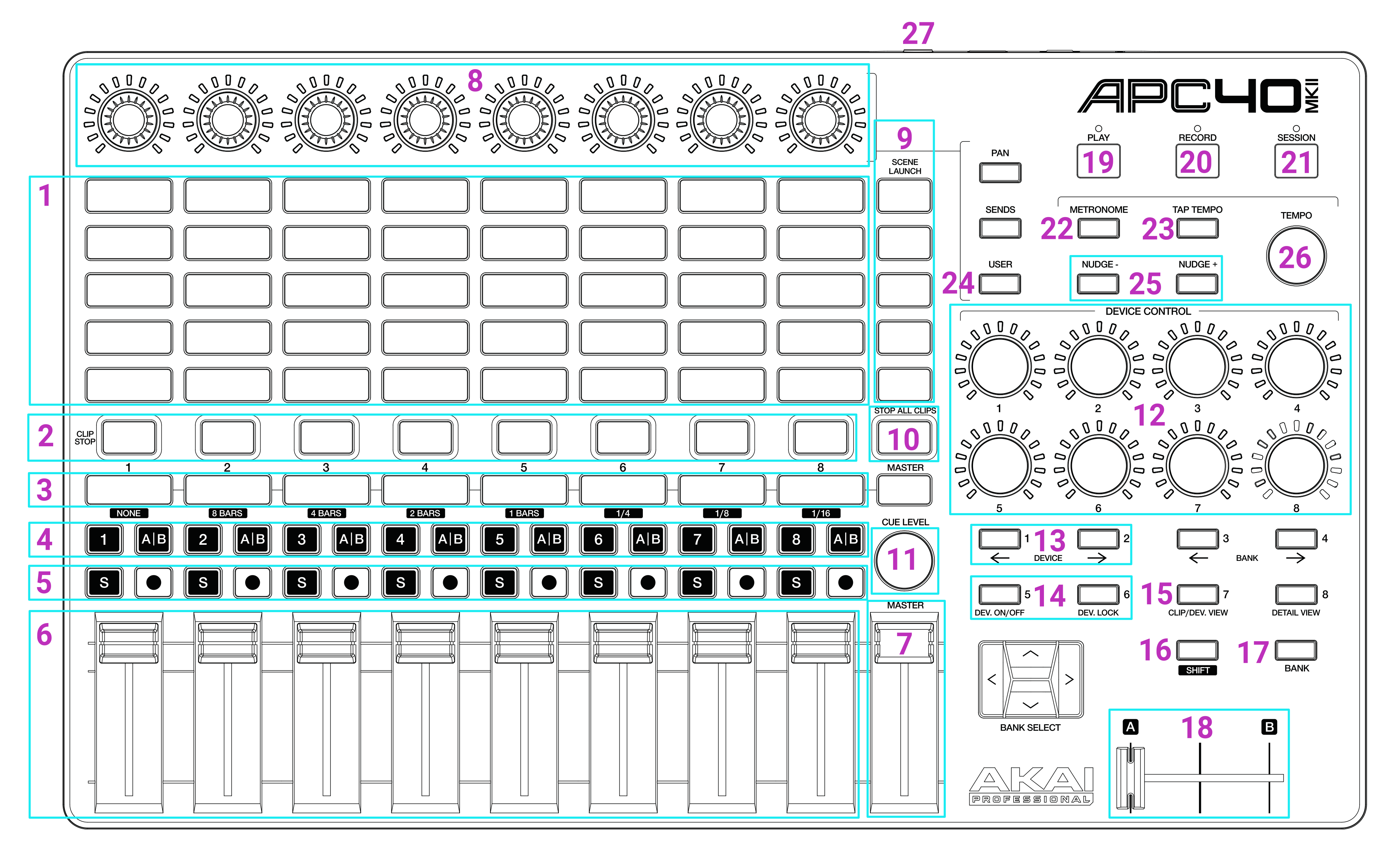
- 8x5 Clip deck
- Zone On/Off
- Effects 1-8 On/Off
- Zone X/Y Flip
- Effects 9-24 On/Off
- Effect Faders 1-8
- Global Brightness
- Effect 1-8 Parameter Adjustment
- Group Buttons
- Stop All Clips (Press twice to immediately stop all clips without their fade settings)
- Clip deck Scroll
- Contextual Parameters panel controls
- Clip Page Left/Right
- Zone Page Left/Right
- Alt button (allows for clip selection)
- Shift button (allows for multi-select and other options)
- Tempo Multiplier Enable/Disable
- Tempo Multiplier Fader (0% - 200%)
- Play / Pause
- Toggle Record Timeline
- Arm / Disarm (you must press Shift to arm)
- Tempo bar reset
- Tap Tempo
- Toggle Zone Delay (use with Shift to cycle through Delay/Chase, or with Alt to toggle Retrigger)
- Nudge tempo + and -
- Tempo Scroll
- Foot Pedal, Tap Tempo
The Device Control knobs follow the same contextual parameters shown in the on-screen Parameters panel. With a clip selected they control clip shift, zone delay, global spin and global scale. If a group button is held, the first controls switch to that group's fade in and fade out times.